ShareWhatsAppFacebookThe link includes the moment you are watching.
This video shows how to maintain the BluFilter 3611 and 5211: cleaning the filter sponges, checking the pump and rotor, and replacing or cleaning the UV-C lamp and quartz sleeve. This keeps your pond clear and your filter working at its best.
Step by step
The video's chapters, with what to do in each. Click a timestamp to jump there.
1
Taking the filter out of the pond
First take your BluFilter out of the pond and make sure the plug is out of the socket. You can easily lift the BluFilter up by the handle.
2
Cleaning the filter sponges
Click the filter open and take out the filter sponges
Clean them with tap water or pond water
Rinse off all the dirt, but not too hard, otherwise the bacteria culture will disappear
Don't use chemicals, as these are harmful to the bacteria culture
3
Cleaning the filter media
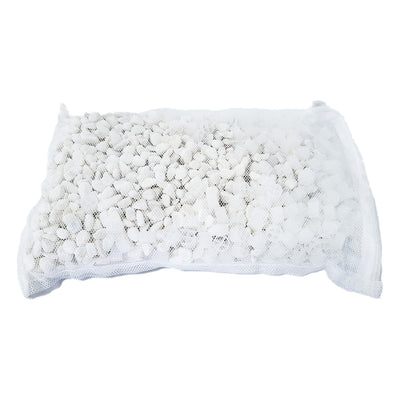
Click off the second filter tray and take it out. It contains the bio balls and zeolite. Clean these with some water, and again, don't use chemicals here.
4
Checking the pump and rotor
Disconnect the pump using the turning knob
Turn off the pump housing to reach the rotor
Check the rotor for damage, for example from a small stone
Clean the inside thoroughly so the rotor can spin properly
Order a new rotor if it's damaged
5
Setting the bypass
There's a turning wheel that acts as a bypass to the UV-C unit. Close it completely so all the water drawn in passes through the UV filter, or open it so not all the water goes through the UV filter. If you're adding bacteria to your pond, it can be smart to open it for a while.
6
Replacing the UV-C lamp
Carefully turn the UV-C lamp out using a cloth
Remove the protective cap from the lamp
Place a new lamp using a cloth and put the protective cap back on
Always check for visible moisture damage and whether the lamp still works
7
Cleaning the quartz sleeve
Carefully take out the quartz sleeve with your finger and nails. The quartz sleeve protects the UV-C lamp, but it can develop limescale or a smudge, which makes the lamp work less well. Clean it with water, don't use chemicals or a brush, as this can damage the quartz sleeve.
8
Closing and checking the filter again
Put the sponges back in and put the filter lid back on properly. Check whether the UV-C lamp is working well by looking through the inspection window while the filter is in the pond and switched on. If you can't see it well in daylight, check it at dusk or in the dark.
Transcript
(52 lines)
·Click a line to jump there
Frequently asked questions about this video
How often should I replace the UV-C lamp of the BluFilter?
You don't need to replace the UV-C lamp often, but it's good to do this once a year.
Can I use chemicals when cleaning the filter sponges?
No, don't use chemicals, as these are harmful to the bacteria culture that keeps your pond clear.
How do I check if the UV-C lamp is still working properly?
Put the filter in the pond and switch it on, then look through the inspection window to see if the lamp is working. This can sometimes be hard to see in daylight, so check it at dusk or in the dark.